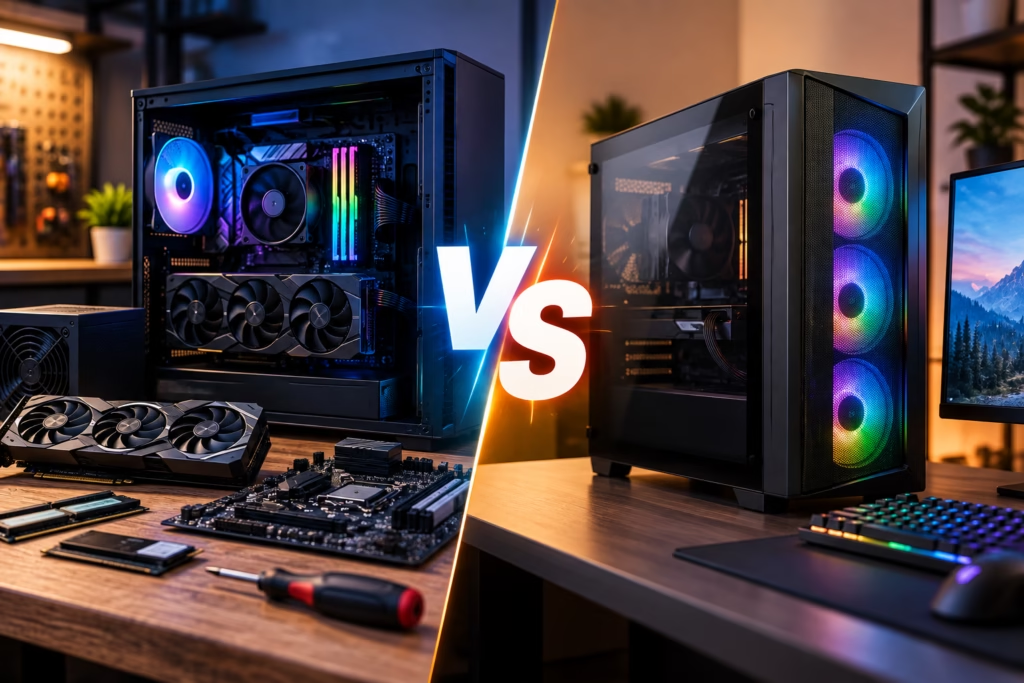
Choosing between a custom PC and a prebuilt computer usually comes down to how you plan to use the system, how much control you want over the hardware, and what matters most to you in terms of performance, upgradeability, budget, and convenience.
A prebuilt PC can be a good option when you want a ready-to-use system without having to think about individual components. A custom-built PC gives you more control over the processor, graphics card, memory, storage, cooling, power supply, and other parts.
Steve’s Computers helps San Antonio customers compare their options and build systems around the way they actually use their computers. If you are considering a new system, understanding the differences between custom PC vs prebuilt can help you avoid paying for features you do not need or ending up with hardware that limits future upgrades.
What Is a Prebuilt PC?
A prebuilt PC is a complete computer assembled and sold as a finished system. The manufacturer or retailer selects the components, puts the computer together, installs the operating system, and sells it as one package.
For many users, convenience is the biggest advantage. You can buy the computer, connect your monitor and accessories, and start using it without researching motherboard compatibility, power supply requirements, CPU cooling, or component installation.
Prebuilt computers are available for everyday home use, office work, gaming, creative applications, and more.
The tradeoff is that you have less control over exactly which parts are used. Two systems may advertise the same processor and graphics card while using very different motherboards, cooling systems, power supplies, memory configurations, or storage drives.
What Is a Custom PC?
A custom PC is built around a specific set of requirements instead of a predetermined manufacturer configuration.
The CPU, GPU, motherboard, RAM, SSD, power supply, cooling system, case, and other components can be selected individually based on the user’s workload and budget.
Steve’s Computers provides custom PC builds in San Antonio for customers who want a system designed around gaming, business, streaming, content creation, or other performance needs.
The advantage is not simply having a more powerful computer. A properly planned custom build can put more of the budget toward the components that actually matter for your workload.
Custom PC vs Prebuilt for Performance
Performance depends on the hardware inside the computer, not simply whether the machine is custom or prebuilt.
A high-end prebuilt PC can outperform a modest custom system, and a well-designed custom system can outperform a prebuilt at a similar price.
The difference is control.
With a custom PC, you can decide where performance matters most. A gaming PC may prioritize the graphics card and CPU. A system for video editing may need more memory, fast SSD storage, and a processor suited to demanding workloads. A business workstation may benefit from reliability, storage capacity, and quieter operation rather than gaming-focused hardware.
Custom builds allow those priorities to be reflected in the component selection.
Which Option Gives You Better Upgradeability?
Upgradeability is one of the strongest reasons some users choose a custom PC.
Standard desktop components generally make it easier to replace or upgrade individual parts later. You may be able to add more RAM, install a larger SSD, replace the graphics card, upgrade cooling, or change the power supply without replacing the entire computer.
Some prebuilt systems are also very upgradeable, but others use proprietary cases, power connectors, motherboards, cooling systems, or unusual component layouts.
That does not automatically make a prebuilt computer bad. It simply means future upgrades should be considered before purchase.
If you expect your performance needs to grow over time, the ability to upgrade individual components can extend the useful life of the system.
Is a Custom PC Always Cheaper?
No.
A custom-built PC is not automatically less expensive than a prebuilt computer.
Large manufacturers may receive better component pricing, and retailers sometimes discount prebuilt systems aggressively. There are situations where a prebuilt PC offers very competitive hardware for the price.
Custom building becomes particularly useful when you want control over how the budget is distributed.
Instead of paying for a bundle that includes features you do not need, you can invest more in areas that matter to you. For example, one user may benefit from a stronger graphics card, while another would get more value from additional RAM and storage.
The goal should be value for your workload, not simply achieving the lowest possible purchase price.
Custom PC vs Prebuilt for Gaming
Gaming is one of the most common reasons people consider a custom PC.
Different games place different demands on the processor and graphics card. Monitor resolution, refresh rate, streaming, virtual reality, and the types of games you play can all affect what hardware makes sense.
A custom gaming PC lets you choose the GPU, CPU, memory, SSD, cooling, and power supply around those requirements.
It can also make future graphics-card upgrades easier if the case, power supply, and motherboard are selected with expansion in mind.
A gaming prebuilt can still be an excellent choice when its specifications, cooling, power supply, and upgrade options meet your needs.
The important thing is to look beyond the headline CPU and GPU model and consider the complete system.
Cooling and Airflow Matter More Than They Look
Cooling is often overlooked when comparing computers.
Processors and graphics cards generate heat, particularly under gaming, rendering, or other demanding workloads. Good airflow and properly selected cooling hardware help the system operate reliably and avoid unnecessary thermal throttling.
A custom PC allows the case, fans, CPU cooler, and component layout to be planned together.
Some prebuilts also have excellent cooling. Others use compact cases or limited airflow that may become more noticeable under sustained load.
Cooling should therefore be evaluated as part of the system rather than treated as an afterthought.
What About the Power Supply?
The power supply is another component that may not receive much attention in a specification list.
It needs to provide sufficient and stable power for the CPU, graphics card, drives, fans, and other components. It should also leave appropriate headroom for the system and potential future upgrades.
With a custom build, the power supply can be selected based on the actual components going into the computer.
On a prebuilt, it is worth checking the wattage, connector availability, and whether the unit can support future GPU or hardware changes.
Prebuilt PCs Offer Convenience
There are good reasons to choose a prebuilt system.
You do not need to research every component, check compatibility, assemble the hardware, manage cables, or configure a new system from individual parts.
For someone who simply wants a computer that meets their requirements and is ready to use, that convenience can be valuable.
A prebuilt may also make support simpler because the complete computer comes from one manufacturer or seller.
The decision does not need to be framed as custom PCs being universally better. The better choice depends on what you value.
Who Should Consider a Custom PC?
A custom PC tends to make sense when you have specific performance requirements, want more control over component quality, expect to upgrade the system later, or want to balance your budget around particular workloads.
It can be especially useful for:
- PC gaming
- Streaming
- Video and photo editing
- 3D work and rendering
- Engineering or workstation applications
- Multi-monitor productivity
- Specialized business use
It can also make sense for someone who simply wants a well-balanced desktop built without unnecessary components.
Who Might Prefer a Prebuilt PC?
A prebuilt may make more sense when convenience is the priority.
If your needs are straightforward, you do not expect significant future upgrades, and you find a system with the right specifications at a good price, there is nothing wrong with choosing a prebuilt.
The important part is understanding exactly what you are buying rather than comparing computers only by processor name, graphics card, or marketing labels.
What If You Already Own a Desktop?
You may not need a completely new computer.
A slow or aging desktop may benefit from an SSD, additional RAM, improved cooling, a graphics-card upgrade, or another targeted improvement.
If your existing computer has hardware problems or you are unsure whether upgrading makes sense, Steve’s Computers also provides computer repair in San Antonio and can help determine whether the system is worth improving or replacing.
Get a Custom PC Built in San Antonio
There is no universal winner in the custom PC vs prebuilt decision.
A prebuilt offers convenience and can provide good value when the configuration matches your needs. A custom PC gives you greater control over component selection, performance priorities, cooling, upgradeability, and how your budget is used.
If you want a computer designed around gaming, work, content creation, or another specific workload, Steve’s Computers provides professional custom PC builds in San Antonio.
Steve’s Computers has served San Antonio since 2008. Call (210) 241-2054 or visit the shop to discuss what you want from your next PC.