Laptop Motherboard Repair
When a laptop will not turn on, shuts down unexpectedly, or fails to complete startup, the motherboard may be involved. But those symptoms can also come from the battery, charger, memory, storage, display, or another component.
We provides professional laptop motherboard repair in San Antonio for serious power, startup, and hardware problems. Serving San Antonio since 2008, We start with diagnosis to determine whether the motherboard is causing the issue and whether repair or replacement is the better option.
Starting At:
$399
Short on cash? Call and ask us for our affordable payment plan.
Full 1-Year Warranty
Guaranteed Repair
3-5 Day Turnaround
3,327+ Repairs Completed
Laptop Motherboard Repair and Replacement
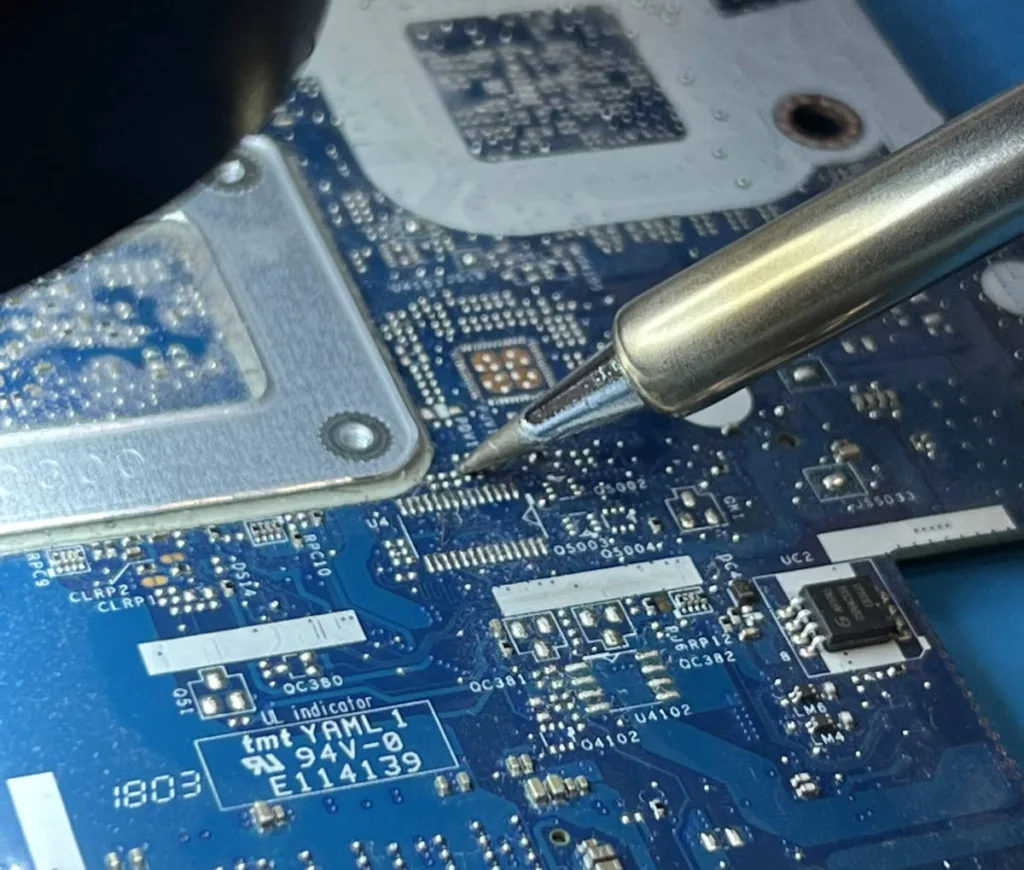
The motherboard, also called the mainboard, system board, or logic board in some computers, connects many of the laptop’s most important components. The processor, memory, storage, charging system, USB connections, display hardware, and other devices all depend on it.
Because so many systems connect through the board, motherboard failure can create several different symptoms.
Laptop motherboard repair and replacement currently starts at $399. Final cost depends on the laptop model, the type of failure, the condition of the board, and whether replacement parts are required. We explains the findings and repair options before moving forward with work you approve.
Signs Your Laptop May Have a Motherboard Problem
A motherboard problem does not always make a laptop completely dead. Some systems still show lights, spin the fan, or respond to the power button without completing startup.
Possible warning signs include:
- Laptop will not power on
- Laptop powers on and immediately shuts down
- Repeated or unexplained restarts
- Failure to complete startup or POST
- Hardware is no longer detected
- No usable display even though the laptop appears to have power
- Charging or power problems after other causes are ruled out
These symptoms can point toward the motherboard, but they are not proof by themselves. Accurate diagnosis matters because no-power, no-POST, no-boot, and no-video problems can require different repairs.
Why Laptop Motherboards Fail
Motherboard problems can develop from electrical faults, liquid exposure, physical damage, overheating, failed connections, or component failure.
A spill can leave residue or corrosion on circuitry. A drop may damage connectors or the board. Charging or power problems can also affect motherboard-related components. In other cases, a board can fail without obvious external damage.
The cause and extent of the failure can affect whether motherboard repair or replacement is more practical.
Our 20-Step Diagnostic Process
We use a 20-step diagnostic process to get to the root cause before recommending repair.
For motherboard-related symptoms, Steve’s Computers checks how the laptop responds to power, whether it completes startup checks, and whether other hardware may be responsible. Battery, charger, memory, storage, display, and related components can create symptoms that look like motherboard failure.
A laptop with no display may have a screen or graphics issue. A laptop that will not charge may have a battery or charging-system problem. A system that will not boot may have a storage or operating-system issue.
We narrow down the source before recommending a major repair. Once the issue is identified, the findings and options are explained clearly, and repairs only move forward with your approval.
No Power and Startup Problems
One of the most common reasons customers suspect motherboard failure is a laptop that appears dead or will not start normally.
There is an important difference between no power, no POST, no boot, and no video. A no-power laptop shows little or no activity. A no-POST condition means the computer receives power but cannot complete its initial hardware checks. A no-boot problem occurs after those checks when the operating system does not load. A no-video problem can occur while the computer is otherwise running.
Steve’s Computers uses these differences to guide diagnosis rather than assuming every startup problem requires motherboard replacement.
Motherboard Repair or Replacement?
The correct solution depends on the laptop model and the type of motherboard failure.
Some issues may be repairable, while others make motherboard replacement the more practical option. Modern laptops can also integrate major components such as the processor or memory into the system board, which can affect repair options and cost.
We considers the board condition, laptop design, parts availability, and overall condition of the computer before making a recommendation. The goal is to solve the actual fault without replacing a major component unnecessarily.
Charging and Power Problems
Charging problems can sometimes involve motherboard power circuitry, but they can also come from the charger, battery, or charging connection.
If a laptop has both charging and power problems, We evaluates the complete system before deciding whether motherboard repair is required. Broader charging issues remain covered by the dedicated Laptop Charging Repair service.
Liquid Damage and the Motherboard
Liquid can travel through the keyboard or openings in the case and reach the mainboard. The laptop may stop working immediately or develop instability, charging problems, or no-power symptoms later.
If motherboard symptoms started after a spill, tell us what happened so liquid exposure can be considered during diagnosis. Broader spill-related problems remain covered by the dedicated Laptop Liquid Damage Repair service.
What Happens to Your Data if the Motherboard Fails?
A motherboard failure does not automatically mean the files stored on the laptop are lost.
Many laptops use a separate SSD or hard drive, while some newer systems integrate storage more closely with the motherboard. Data access depends on the laptop design, storage condition, and type of board failure.
If important documents, photos, or business files are a priority, tell us before repair work begins so data considerations can be included from the start.
How Long Does Laptop Motherboard Repair Take?
Repair takes typical 3–5 day turnaround for laptop motherboard repair. Actual timing can vary depending on the diagnosis, laptop model, parts availability, and whether repair or motherboard replacement is required.
Customers receive updates during the repair process so they know what was found and what work is being recommended.
Is Laptop Motherboard Repair Worth It?
A motherboard problem does not automatically mean the laptop should be replaced.
If the computer is otherwise in good condition, motherboard repair or replacement may restore normal use. An older laptop with several major hardware problems may require a different decision.
We considers the laptop’s age, condition, repair requirements, and available options so you can make an informed decision.
Why Choose Steve’s Computers?
Our business have served San Antonio since 2008 and provides laptop diagnostics and repair for power failures, startup problems, motherboard issues, screens, keyboards, charging systems, liquid damage, and other hardware faults.
We focuses on diagnosing the actual cause, explaining the repair clearly, and performing only the work you approve. Qualifying repairs are backed by a 1-year warranty.
Trusted For 15+ Years
With 15+ years of experience, we're a team of technicians dedicated to bringing you the best computer repair service you'll ever find.
Fast Turnaround Time
Don't wait WEEKS or MONTHS to get your computer repaired. Get it back in only a few days or less.
Regular Updates & More
You come first. We call you with regular updates every step of the repair process. You'll always know what's going on at all times.
Affordable Price Guarantee
We only fix what you need fixed and what you approve. Nothing more. Nothing less.
PLUS → We offer affordable payment plans for any budget.
Proven Diagnostic Process
Unlike other shops, we get down to the root cause first before we repair your computer. Your device will be fixed with 100% certainty using our proven 20-step diagnostic process.
Full 1-Year Warranty
Your repair comes with our hassle-free 1-year warranty baked-into your repair.
If the repair does not last within a year, then we'll fix it free of charge.
⭐⭐⭐⭐⭐
⭐⭐⭐⭐⭐
⭐⭐⭐⭐⭐
Get Laptop Motherboard Repair in San Antonio
If your laptop will not power on, shuts down unexpectedly, fails to complete startup, or has another serious hardware problem, bring it to us for professional laptop motherboard repair in San Antonio.
Walk-ins are welcome, or call us at (210) 241-2054 to discuss your laptop motherboard repair or replacement needs.
EST 2008
Steve's Computer Repair is San Antonio’s premier repair center, with a track record of fixing over 3,237 devices. We specialize in top-notch repairs for leading brands like Dell, HP, and Apple. Our services include in-store and on-site options.
Proven Diagnostic Process
Get a diagnostic assessment for your device to accurately pinpoint needed repairs and receive a personalized quote. We prioritize efficiency and customer satisfaction, ensuring we won't keep your device for weeks just for diagnostics.
Unmatched Quality.
Rest assured, we adhere to manufacturing repair standards for every device model when repairing all computers. Whether it's laptop motherboard repair or something else, you can rely on our expertise to deliver quality results.


