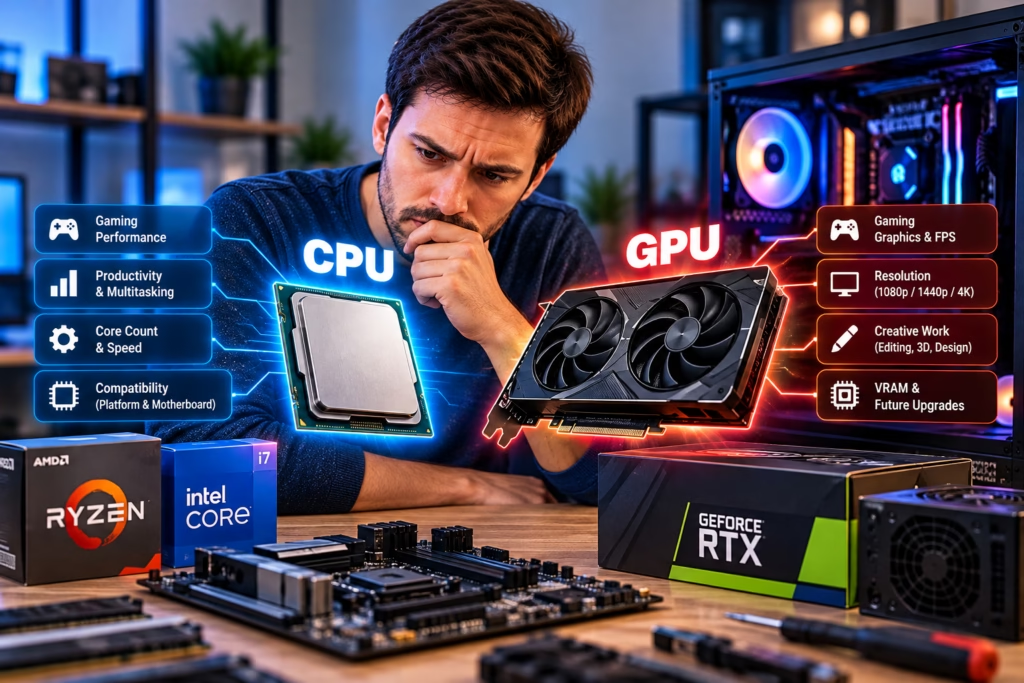
The CPU and GPU are two of the most important choices in a custom PC because they influence performance, cost, cooling, power requirements, and future upgrade options. The best combination is not simply the fastest processor paired with the most expensive graphics card. It is the combination that fits the work you actually plan to do.
Steve’s Computers provides custom PC builds in San Antonio for gaming, streaming, content creation, business, and other workloads. A balanced build starts by identifying which tasks depend most on the processor, which depend on the graphics card, and where your budget will produce the biggest real-world benefit.
Start With What the PC Needs to Do
Before comparing specifications, define the workload. A gaming PC, video-editing workstation, CAD system, streaming setup, and everyday productivity computer can all benefit from different CPU and GPU priorities.
For gaming, monitor resolution, target frame rate, game type, and whether you plan to stream or record matter. For creative work, the software you use may rely heavily on CPU cores, GPU acceleration, video memory, or a combination of all three.
Choosing parts around a specific workload usually produces better value than buying high-end components without a clear performance target.
What Does the CPU Affect?
The CPU handles general-purpose processing and coordinates many tasks across the system. Core count, thread count, architecture, clock behavior, cache, and software optimization all influence performance.
Games can benefit from strong per-core performance and sufficient cores for background tasks. Video editing, rendering, compiling code, virtual machines, and other professional workloads may benefit from additional cores, depending on the application.
A higher model number does not automatically make a processor the right choice. The motherboard platform, cooling needs, power draw, and the software you use also matter.
What Does the GPU Affect?
The graphics processing unit handles graphics rendering and many parallel workloads. In a gaming PC, the GPU is often the biggest factor in frame rate at higher resolutions and graphics settings.
Creative applications may also use GPU acceleration for effects, rendering, encoding, artificial intelligence features, or other tasks. GPU performance depends on more than one specification, so comparing only memory capacity or clock speed can be misleading.
Video memory, or VRAM, matters when games or applications need to hold large textures, high-resolution assets, or project data. The amount you need depends on resolution, settings, software, and workload rather than one universal number.
Match the GPU to Your Monitor and Gaming Goals
A gaming build should be planned around the display you intend to use. Playing at 1080p, 1440p, or 4K creates different GPU demands, and targeting very high refresh rates can shift more importance toward CPU performance in some games.
Buying a graphics card far beyond what your monitor and game settings can use may not improve the experience enough to justify the cost. At the same time, undersizing the GPU can force lower settings or reduce frame rates sooner than expected.
Steve’s Computers can help match the graphics hardware to the actual display resolution, refresh rate, and types of games you play.
Avoid Obsessing Over the Word Bottleneck
Every computer has a component that becomes the limit in a particular task. That is normal. The limiting component can change from one game or application to another and can even change when resolution or settings are adjusted.
The goal is not to build a PC with no bottleneck. That is unrealistic. The goal is to avoid spending heavily on one component while another part consistently prevents you from reaching the performance you paid for.
A balanced CPU and GPU combination should be evaluated against the workload rather than a generic bottleneck calculator.
Balance the Budget Across the Whole Build
The CPU and GPU are important, but they are not the entire computer. Memory, storage, motherboard quality, cooling, power supply, case airflow, and monitor choice all affect the final experience.
Spending nearly the entire budget on the graphics card can force compromises in the power supply, storage, cooling, or motherboard. Overspending on the CPU can also reduce the budget available for the GPU in a gaming-focused system where graphics performance matters more.
A good custom build allocates money according to the tasks that matter most.
Do Not Ignore Power Supply and Cooling Requirements
Faster processors and graphics cards can require more power and produce more heat. The power supply needs adequate capacity, the correct connectors, and reasonable headroom for the selected hardware.
Cooling should be matched to the CPU and the case. The graphics card also needs enough physical space and airflow. A powerful GPU installed in a restrictive case can run hotter and louder than expected.
These compatibility details are part of why component selection should be planned as a system rather than as separate purchases.
Think About RAM and Storage at the Same Time
CPU and GPU choices should also make sense with the amount of memory and storage in the build. A high-end processor paired with insufficient RAM can still feel constrained during heavy multitasking or professional work.
For gaming and productivity systems, the amount of RAM should be selected around the workload rather than the CPU name alone. Steve’s Computers also offers SSD and NVMe upgrades for systems that need faster storage or more capacity.
If you are still deciding how much memory to install, the guide on how much RAM you really need in a custom PC can help narrow down the right starting point.
Plan for Upgrades Without Overbuying Today
Future upgrade plans can influence the motherboard platform, power supply, case size, and cooling system. Choosing a platform with room for more memory, additional storage, or a future graphics card can extend the useful life of the build.
However, buying expensive hardware today only because you might need it years from now can waste budget. It is usually better to build enough headroom for realistic plans while spending the most on performance you will actually use now.
Custom PC or Prebuilt?
If component selection feels overwhelming, remember that a custom PC is valuable because the hardware can be chosen around your needs. A prebuilt can still be a good option when the configuration, cooling, power supply, and upgrade path already fit what you want.
Steve’s Computers has a separate guide comparing custom PCs and prebuilts if you are still deciding which route makes more sense.
Get Help Planning a Custom PC in San Antonio
If you are unsure which CPU and GPU combination fits your budget, games, software, monitor, or future upgrade plans, Steve’s Computers can help plan the build around your actual priorities.
Steve’s Computers provides custom PC builds in San Antonio with attention to processor and graphics performance, compatibility, memory, storage, power supply requirements, cooling, and upgradeability.
Instead of choosing parts from isolated benchmark numbers or marketing labels, contact Steve’s Computers to build a system that is balanced for the way you intend to use it.