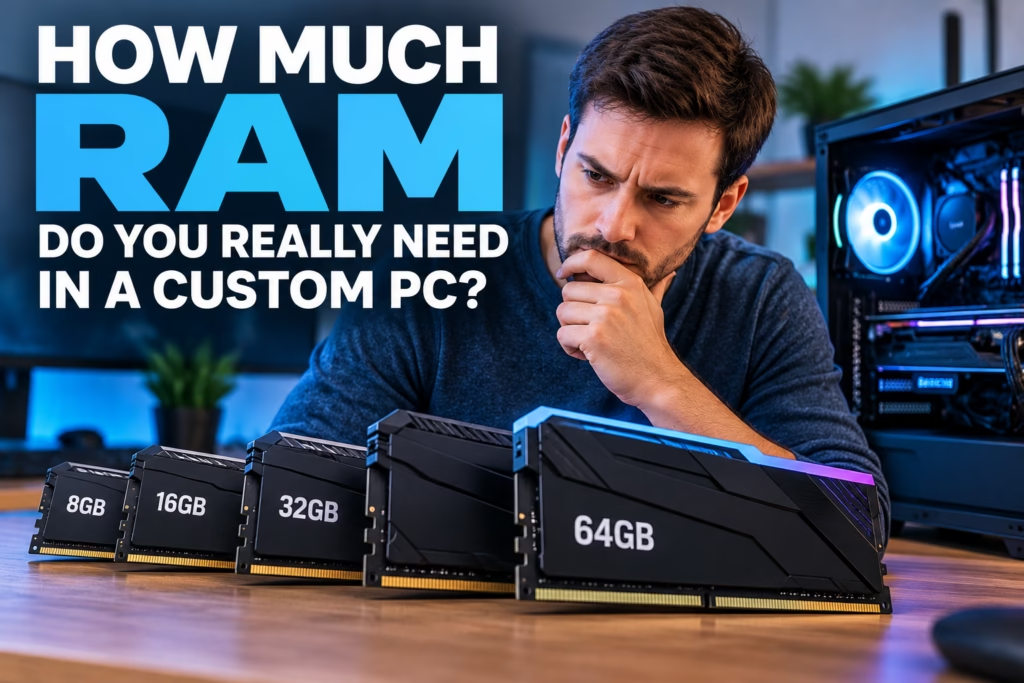
Choosing the right amount of RAM is an important custom PC decision. Too little memory can cause slowdowns and stuttering. Buying far more than your workload needs can use budget better spent on the processor, graphics card, storage, or cooling.
Steve’s Computers helps customers plan custom PC builds in San Antonio around real workloads rather than one “best” number. The right capacity depends on your software, multitasking, graphics setup, and expected lifespan.
What Does RAM Actually Do in a PC?
RAM, or random access memory, holds data that the processor needs quickly while the computer is running. Open applications, browser tabs, game assets, active documents, background services, and parts of the operating system all use system memory.
When available RAM becomes limited, the operating system may rely more heavily on storage as virtual memory. Even fast SSDs are slower than RAM for this purpose, so applications can feel less responsive.
More RAM does not automatically make every computer faster. The benefit appears when the workload actually needs the additional capacity.
Is 8GB of RAM Enough for a Custom PC?
Eight gigabytes can handle basic browsing, email, office documents, streaming, and light applications when relatively few programs stay open.
The limitation is multitasking. Browser tabs, cloud-sync tools, security software, and communication apps all compete for memory.
For a new custom desktop intended to last several years, Steve’s Computers considers the expected workload before choosing 8GB. It can suit a tightly defined budget system, but heavier multitasking may outgrow it quickly.
Is 16GB Enough for Most Users?
Sixteen gigabytes is a practical starting point. It provides more room for normal multitasking, office work, browsing, media playback, and a wide range of games.
That does not mean 16GB is ideal for every build. Users editing large media, running virtual machines, or keeping demanding applications open together may benefit from more.
The useful question is whether 16GB provides enough headroom for your programs and multitasking habits.
When Does 32GB of RAM Make Sense?
Thirty-two gigabytes becomes attractive when the system will regularly handle heavier multitasking or applications with larger memory requirements.
It can make sense for gaming while streaming, photo or video editing, music production, software development, large spreadsheets, virtual machines, and users who keep many applications and browser tabs open.
It can also provide headroom in a higher-end build. However, adding 32GB to a computer that rarely uses its available memory will not create a meaningful performance increase.
Who Actually Needs 64GB or More?
Sixty-four gigabytes and higher capacities are usually workload-driven rather than necessary for ordinary home or gaming use.
Large video projects, high-resolution media, 3D rendering, professional content creation, data analysis, multiple virtual machines, and certain development environments can consume large amounts of memory.
Some users need 64GB or more because several demanding applications run simultaneously, reducing reliance on storage-based virtual memory.
Steve’s Computers looks at software, project sizes, and expected multitasking before recommending higher-capacity configurations.
How Much RAM Does a Gaming PC Need?
Gaming memory requirements vary by title, settings, background applications, and what else the player does while gaming.
A system used only for gaming can have different requirements from one that also streams, records gameplay, runs voice chat, keeps a browser open, and uses monitoring software.
The graphics card also has dedicated video memory, or VRAM, which is separate from system RAM. Adding system memory does not compensate for insufficient VRAM.
For a balanced gaming build, RAM should be considered alongside the CPU, GPU, storage, display resolution, and background workload rather than selected in isolation.
Does Integrated Graphics Change RAM Requirements?
It can. Many processors with integrated graphics use part of the computer’s system memory for graphics tasks because they do not have a separate pool of dedicated VRAM.
That means a system with integrated graphics may have less RAM available to Windows and applications than the installed capacity suggests.
Memory configuration can also affect integrated graphics performance because the graphics processor depends on memory bandwidth. The exact impact varies by platform, processor, motherboard, and workload.
This is another reason Steve’s Computers checks the complete hardware configuration instead of recommending RAM capacity by a general rule.
DDR4 vs DDR5: Does the RAM Type Matter?
Yes, but compatibility comes first.
DDR4 and DDR5 are different memory generations and are not interchangeable. The motherboard and processor determine which type the system supports.
DDR5 generally offers higher data rates and newer platform support, while DDR4 remains capable for many systems. The better choice depends on the processor platform, motherboard, budget, and intended performance level.
A custom PC should be designed as a compatible system. RAM generation, speed, capacity, module count, and motherboard support all need to work together.
Do RAM Speed and Dual-Channel Configuration Matter?
They can, although the impact depends on the workload and platform.
Memory speed affects how quickly data can move between RAM and other parts of the system. Using matched modules in the motherboard’s recommended slots can also enable the appropriate multi-channel memory configuration.
Faster RAM does not always produce a noticeable improvement in everyday tasks, and very high advertised speeds may require motherboard support and memory profiles such as XMP or EXPO.
Stability should come before chasing a specification number. A properly matched, stable memory configuration is more valuable than an aggressive setting that causes crashes or boot problems.
Should You Buy Extra RAM for Future-Proofing?
Some headroom is sensible, but “future-proofing” can become an excuse to overspend.
If you currently use close to the available memory during normal work, moving to the next capacity tier may make sense. If your workload uses only a fraction of the installed RAM, doubling capacity may provide little immediate benefit.
Upgradeability also matters. A motherboard with open memory slots may allow more RAM later, while some systems have fewer options.
Steve’s Computers considers current needs, expected future software, motherboard capacity, and whether a later memory upgrade will remain practical.
RAM Is Only One Part of a Fast Computer
A slow computer is not automatically short on memory. Storage problems, overheating, background software, malware, CPU limits, graphics limitations, or failing hardware can produce similar symptoms.
Before adding RAM to an existing system, computer diagnostics can help determine whether memory is actually the bottleneck. A storage upgrade may provide a larger improvement on a computer using an older drive, while an SSD or NVMe upgrade can improve boot and application loading times without changing RAM capacity.
Balanced hardware matters more than maximizing one specification alone.
Get Help Planning a Custom PC in San Antonio
The right amount of RAM depends on what the computer needs to do. Eight gigabytes may be adequate for a basic system, 16GB suits many everyday workloads, 32GB can provide valuable room for gaming and heavier multitasking, and 64GB or more is best justified by demanding professional applications.
Steve’s Computers can help select RAM capacity, memory type, CPU, GPU, storage, cooling, and other components as part of a balanced custom PC build in San Antonio.
If you are planning a new desktop or deciding whether your current system needs a memory upgrade, contact Steve’s Computers to discuss the workload, budget, and upgrade path before buying parts.