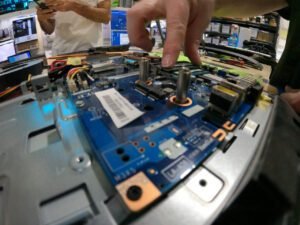
Laptop Liquid Damage Repair
A spilled drink can cause more than a wet keyboard. Liquid can reach internal connections, the battery, motherboard, storage, and other components, sometimes causing problems immediately and sometimes days later.
We provide professional laptop liquid damage repair in San Antonio for water, coffee, soda, and other liquid spills. Serving San Antonio since 2008, We starts with diagnosis to determine how far the liquid traveled, what was affected, and which repair options make sense.
Laptop Liquid Damage Repair
Liquid damage is unpredictable because every spill is different. The type of liquid, how much entered the laptop, whether the computer was powered on, and where the spill reached can all affect the outcome.
We checks the laptop for signs of moisture, residue, corrosion, damaged connections, and electrical faults before recommending repair. Laptop liquid damage repair currently starts at $299. Final cost depends on the extent of the damage and which components require attention.
We will explains the findings and repair options before moving forward with work you approve.
Starting At:
$299
Short on cash? Call and ask us for our affordable payment plan.
What to Do After Spilling Liquid on a Laptop
If liquid spills on your laptop, shut it down as soon as it is safe to do so and disconnect the charger and attached accessories. Avoid repeatedly powering the computer back on just to see whether it still works.
A laptop can appear normal immediately after a spill even when liquid or residue remains inside. Continuing to apply power can increase the risk of short circuits or additional electrical damage.
Do not force the laptop open, remove internal components, or attempt an improvised repair if you are not familiar with the device. Bring it in for inspection, especially when the laptop contains important files or begins showing new symptoms after the spill.
Signs of Laptop Liquid Damage
Some liquid-damaged laptops stop working immediately. Others develop intermittent problems later.
Common signs include:
- Laptop will not turn on
- Keyboard keys stop responding or become sticky
- Trackpad becomes unreliable
- Laptop shuts down or restarts unexpectedly
- Battery stops charging normally
- Screen flickers or remains black
- USB or other ports stop working
- Laptop becomes unstable after the spill
A delayed problem does not necessarily mean the spill was harmless at first. Residue and corrosion can affect connections and circuitry over time.
Why Liquid Damage Can Get Worse Over Time
Water is not the only concern after a spill. Coffee, soda, juice, and other drinks can leave minerals, sugars, or other residue behind after the visible moisture dries.
That contamination can remain around connectors, circuit-board components, and other internal areas. Over time, corrosion or poor electrical connections may develop.
This is why a laptop that works after a spill can still begin showing problems later. Keys may stop responding, charging may become inconsistent, the laptop may fail to start, or previously stable hardware may become unreliable.
Professional inspection focuses on more than whether the outside of the laptop is dry.
Our 20-Step Diagnostic Process
We use a 20-step diagnostic process to get to the root cause before repair work begins.
For liquid-damaged laptops, the evaluation considers the path of the spill and the condition of the affected hardware. Steve’s Computers checks for visible residue, corrosion, damaged connectors, power problems, and signs that liquid reached more than one component.
The first symptom does not always reveal the full extent of the damage. A keyboard may stop working because the spill affected the keyboard itself, but liquid may also have reached components underneath it.
After diagnosis, Steve’s Computers explains what was found, what repair options are available, and what work is recommended. Repairs only move forward with your approval, and customers receive updates during the process.
What Components Can Liquid Damage?
Liquid can affect different parts of a laptop depending on where it enters and how far it travels.
The keyboard and trackpad are common areas of concern because spills often enter through the top of the laptop. The charging system or battery may also develop problems if moisture reaches power-related components.
If liquid reaches the motherboard, corrosion or electrical faults can lead to no-power conditions, unexpected shutdowns, charging problems, or several unrelated symptoms at once. Storage devices and their connections may also be affected, which can make access to important files a priority.
We also evaluates the laptop as a complete system rather than assuming the first failed component is the only problem.
Liquid Damage and Your Data
For many customers, the files stored on the laptop matter more than the computer itself.
If a liquid-damaged laptop will not start, repeatedly trying to power it on is not the best way to protect important data. The condition of the storage device needs to be considered separately from the condition of the laptop.
Depending on the laptop design and the extent of the damage, data may still be accessible even when the computer itself cannot operate normally.
Tell us if documents, photos, business files, or other data are a priority when you bring the laptop in. That allows data recovery considerations to be included from the beginning.
Can a Liquid-Damaged Laptop Be Repaired?
Sometimes, but the answer depends on what the liquid damaged.
A spill limited to a keyboard or another replaceable component is different from extensive motherboard corrosion or damage affecting several systems. The type of liquid, how long the laptop remained powered, the age of the device, and the condition of the internal hardware can all influence the repair decision.
We don’t not assume every liquid-damaged laptop can or should be repaired. The goal is to identify the damage and explain realistic options so you can make an informed decision.
How Long Does Laptop Liquid Damage Repair Take?
It usually takes 3–5 day turnaround for laptop liquid damage repair. Actual timing can vary depending on the severity of the spill, diagnostic findings, parts availability, and whether more than one component is affected.
Customers receive updates so they know what was found and what work is being recommended.
Why Choose Steve’s Computers?
We have served San Antonio since 2008 and provides laptop repair, computer diagnostics, and data recovery for local customers.
Liquid damage requires careful troubleshooting because the visible symptom may not show the full problem. Steve’s Computers focuses on identifying the extent of the damage, explaining the findings clearly, and performing only approved work.
Qualifying repairs are backed by a 1-year warranty, giving customers additional confidence in the completed repair.
Trusted For 15+ Years
With 15+ years of experience, we're a team of technicians dedicated to bringing you the best computer repair service you'll ever find.
Fast Turnaround Time
Don't wait WEEKS or MONTHS to get your computer repaired. Get it back in only a few days or less.
Regular Updates & More
You come first. We call you with regular updates every step of the repair process. You'll always know what's going on at all times.
Affordable Price Guarantee
We only fix what you need fixed and what you approve. Nothing more. Nothing less.
PLUS → We offer affordable payment plans for any budget.
Proven Diagnostic Process
Unlike other shops, we get down to the root cause first before we repair your computer. Your device will be fixed with 100% certainty using our proven 20-step diagnostic process.
Full 1-Year Warranty
Your repair comes with our hassle-free 1-year warranty baked-into your repair.
If the repair does not last within a year, then we'll fix it free of charge.
⭐⭐⭐⭐⭐
⭐⭐⭐⭐⭐
⭐⭐⭐⭐⭐
Get Laptop Liquid Damage Repair in San Antonio
If you spilled water, coffee, soda, or another liquid on your laptop, avoid repeatedly powering it on and have the device inspected.
Bring it to us for professional laptop liquid damage repair in San Antonio. We can evaluate the affected components, explain the repair options, and take important data into account from the start.
Walk-ins are welcome, or call (210) 241-2054 about your liquid-damaged laptop.
EST 2008
Steve's Computer Repair is San Antonio’s premier repair center, with a track record of fixing over 3,237 devices. We specialize in top-notch repairs for leading brands like Dell, HP, and Apple. Our services include in-store and on-site options.
Proven Diagnostic Process
Get a diagnostic assessment for your device to accurately pinpoint needed repairs and receive a personalized quote. We prioritize efficiency and customer satisfaction, ensuring we won't keep your device for weeks just for diagnostics.
Unmatched Quality.
Rest assured, we adhere to manufacturing repair standards for every device model when repairing all computers. Whether it's laptop liquid damage repair or something else, you can rely on our expertise to deliver quality results.