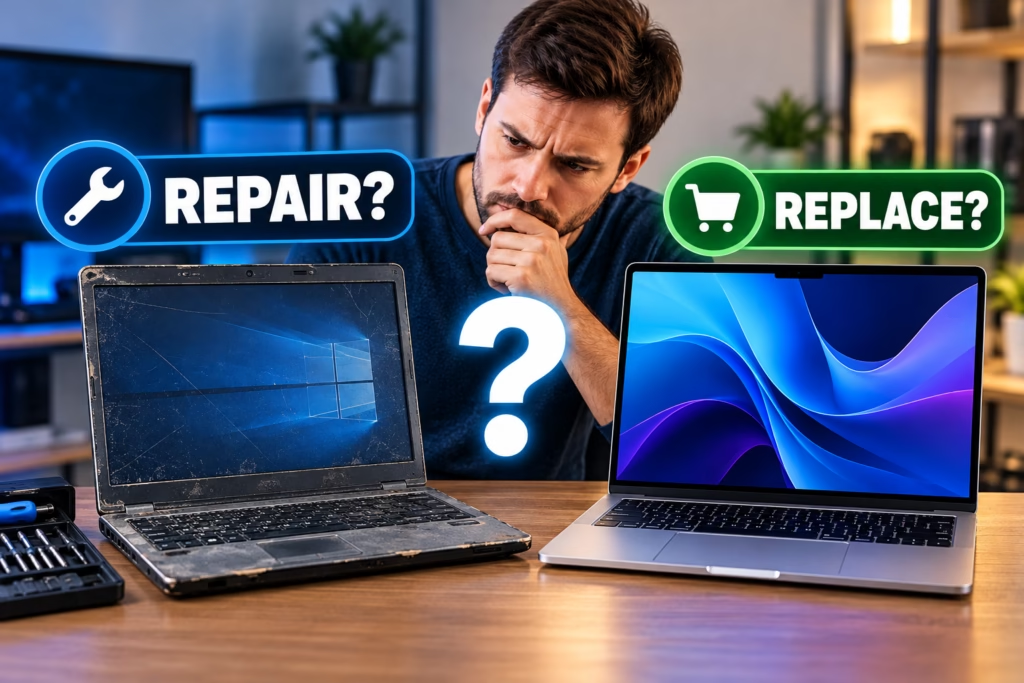
An older computer does not automatically need to be replaced just because it has slowed down or developed a hardware problem. A failing storage drive, limited memory, overheating, a weak power supply, or a software issue may be repairable for far less than the cost and disruption of replacing the entire system. At the same time, repeatedly repairing a computer that no longer meets your needs can become poor value.
Steve’s Computers helps San Antonio customers decide whether an older desktop or laptop is still worth repairing. The best decision depends on what is actually wrong, how the computer performs when it is healthy, how reliable it needs to be, and what it would cost to get useful life from it again.
How Old Is Too Old for a Computer?
Age matters, but it should not be the only factor. Two computers of the same age can be in very different condition. One may have a healthy processor, enough memory, and only a failing drive. Another may have several worn components, limited upgrade options, and performance that no longer matches the owner’s workload.
Instead of using a fixed age cutoff, look at whether the computer can still support the software, security updates, peripherals, and performance you actually need. A machine that is dependable for basic office work may still be useful even if it would be a poor choice for newer games, video editing, engineering software, or other demanding workloads.
When Repairing an Older Computer Makes Sense
Repair usually makes the strongest case when the problem is isolated and the rest of the system is still in good condition. Examples include a failed power supply in a desktop, a worn laptop battery, a damaged fan, a bad storage drive, or a software problem that can be corrected without replacing major hardware.
Repair can also make sense when the computer already has adequate performance for the owner’s needs. If the machine handled everyday work well before one component failed, restoring that component may be more practical than moving to a new computer.
Steve’s Computers provides computer repair in San Antonio for startup problems, crashes, overheating, hardware failures, and other issues. A proper diagnosis helps separate a repairable fault from a system that is becoming unreliable overall.
When Replacement May Be the Better Choice
Replacement becomes more reasonable when several limitations appear at the same time. A computer may need a costly repair while also having an outdated processor, limited memory capacity, slow storage, poor battery life, or compatibility problems with current software.
Repeated failures matter too. If one major repair is followed by another, the total cost can begin approaching the value of a newer system while the underlying platform remains old. Business users may also place a higher value on predictable uptime, warranty coverage, and access to current hardware than on extending the life of an aging machine.
The key is not whether a computer can technically be repaired. The better question is whether the repaired computer will be dependable and useful enough to justify the cost.
Consider an Upgrade Before Replacing the Whole Computer
Some computers feel old because one component is holding the system back. Replacing a mechanical hard drive with an SSD can dramatically improve startup times and file access. Adding memory may help a system that slows down when several applications are open. Cleaning a cooling system or replacing a failing fan can restore performance that was being reduced by heat.
For compatible systems, Steve’s Computers offers SSD and NVMe upgrades that can extend useful life without replacing the entire machine. The upgrade still has to make sense for the motherboard, processor, available connections, and workload. Spending heavily on upgrades for a platform with several other limitations may not provide good long-term value.
How Repair Cost Should Factor Into the Decision
Comparing the repair estimate with the price of a replacement is useful, but the cheapest number is not always the best answer. A replacement computer may also involve setup, software installation, account configuration, file migration, and time spent getting the new system ready.
On the other hand, a repair that costs less than a new computer can still be poor value if the machine will remain slow, unsupported, or likely to need more work soon. Steve’s Computers evaluates the actual fault first so the decision can be based on the condition of the computer rather than guesswork.
Do You Still Have Enough Performance for Your Work?
Think about what the computer needs to do over the next few years, not only what it did when it was purchased. Web browsing, email, accounting, office applications, gaming, content creation, and professional workloads place very different demands on hardware.
If normal tasks already felt slow before the failure, repairing one component may not solve the larger performance problem. If performance was satisfactory until a specific fault appeared, repair is often easier to justify.
A computer diagnostic can help identify whether poor performance is caused by a repairable issue such as storage, memory, cooling, or software, or whether the platform itself is the main limitation.
What About Your Files and Programs?
Data should be part of the decision from the beginning. Important documents, photos, business files, saved projects, and application data may need to be protected before major repair work or replacement.
If the old computer is still readable, files can often be transferred to a replacement system. Steve’s Computers provides computer setup and data transfer for customers moving to a new machine. If the storage device is failing or files are already inaccessible, data recovery may need to be considered before additional troubleshooting or migration.
Repair or Replace: A Practical Checklist
Repair is usually more attractive when the failure is isolated, the computer still meets your performance needs, parts are available, and the repaired system should remain dependable. Replacement is more attractive when the computer has multiple major problems, cannot support the software you need, lacks practical upgrade options, or would still be too slow after repair.
Do not make the decision from one symptom alone. A computer that will not turn on may have a relatively simple power problem, while a computer that still boots may have several serious hardware issues underneath.
Get an Honest Computer Diagnosis in San Antonio
If you are unsure whether an older computer is worth repairing, Steve’s Computers can inspect the system, identify the cause of the problem, and explain the realistic options.
Steve’s Computers provides computer diagnostics and computer repair in San Antonio for desktops and laptops with performance, startup, storage, cooling, and hardware problems. The goal is to determine whether repairing, upgrading, or replacing the computer makes the most sense for how you actually use it.
Before replacing a computer that may only need one targeted repair, or investing heavily in a machine that has reached the end of its practical life, contact Steve’s Computers for an evaluation.