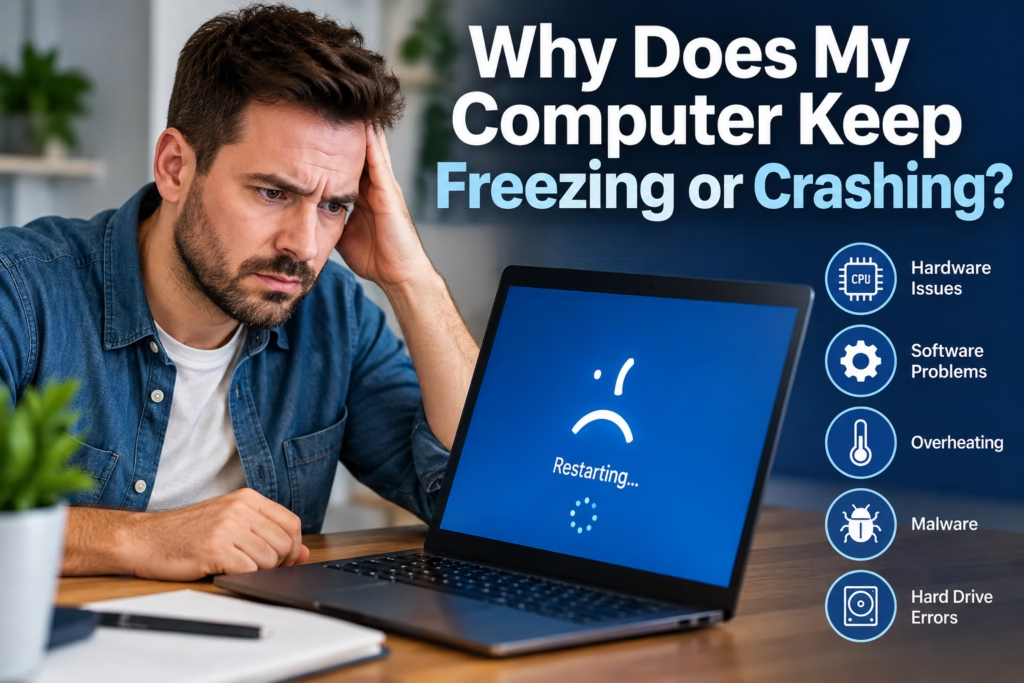
A computer that freezes, crashes, restarts unexpectedly, or becomes completely unresponsive can make even simple tasks difficult. Sometimes the problem happens only when you open a certain program. In other cases, the computer locks up randomly, shows a blue screen, or shuts down without warning.
The difficult part is that computer freezing and crashing can come from many different causes. Overheating, failing storage, bad memory, software conflicts, malware, driver problems, or other hardware faults can all produce similar symptoms.
Steve’s Computers provides professional computer repair in San Antonio for systems that freeze, crash, restart, or stop responding. The goal is to identify what is actually causing the instability before replacing hardware or reinstalling software unnecessarily.
Why Does a Computer Keep Freezing?
A computer freezes when the operating system or hardware stops responding normally. The mouse may stop moving, programs may refuse to close, or the entire system may become stuck until you force a restart.
One occasional freeze does not always indicate a major hardware failure. However, repeated freezes, increasing instability, or crashes that happen during normal use should be investigated.
The pattern often provides useful clues. A computer that freezes only during gaming may have a different problem from one that locks up while sitting idle or opening basic applications.
Overheating Can Cause Freezing and Shutdowns
Computers generate heat whenever the processor, graphics card, and other components are working. Cooling fans, heat sinks, and airflow help keep internal temperatures under control.
When dust blocks airflow or a cooling fan begins to fail, internal temperatures can rise. The computer may slow down, freeze, restart, or shut itself off to protect the hardware.
Common warning signs include unusually loud fans, excessive heat around the case, crashes during demanding programs, or problems that become worse after the computer has been running for a while.
Overheating should be diagnosed rather than ignored because repeatedly operating at excessive temperatures can affect long-term reliability.
Faulty RAM Can Cause Random Crashes
RAM, or system memory, temporarily holds information that the computer needs while programs are running.
When memory becomes unstable or develops a fault, the computer may freeze without warning, restart, display a blue screen, or produce errors that seem unrelated to one another.
Memory problems can be particularly confusing because the computer may work normally for hours before crashing again. In other cases, crashes happen when several programs are open or when the system is under heavier load.
Steve’s Computers can test the memory and related hardware to determine whether RAM is contributing to the problem.
Hard Drive or SSD Problems Can Make a Computer Unstable
Storage problems can affect more than your files. Windows and installed programs depend on the hard drive or SSD to read and write data continuously.
A failing hard drive may cause slow startup, freezing, clicking sounds, corrupted files, or programs that stop responding. SSD problems may cause similar symptoms without any mechanical noise.
If the storage device is failing, continuing to use the computer may also put important files at risk.
If crashes are accompanied by disappearing files, disk errors, unusually slow access, or a drive that sometimes disappears from the system, tell Steve’s Computers when you bring the computer in. If important data is involved, data recovery may need to be considered before additional troubleshooting.
Software and Driver Problems Can Cause Crashes
Not every computer crash is caused by failing hardware.
Operating-system problems, damaged system files, incompatible software, or faulty device drivers can also make a computer unstable. A crash that begins shortly after installing new software, updating a driver, or adding new hardware may point toward a compatibility issue.
Graphics drivers can be particularly noticeable because problems may appear while watching video, gaming, using multiple monitors, or working with graphics-heavy applications.
Proper diagnosis helps separate a software problem from a hardware failure so working components are not replaced unnecessarily.
Can Malware Make a Computer Freeze?
Malware and unwanted software can consume system resources, interfere with programs, change browser behavior, and contribute to poor performance or instability.
However, a slow or freezing computer should not automatically be assumed to have a virus. Overheating, storage problems, failing memory, and ordinary software issues can cause many of the same symptoms.
Warning signs such as unexpected pop-ups, browser redirects, unfamiliar applications, security settings changing without permission, or unusual background activity may make malware more likely.
If those symptoms appear alongside the freezing, Steve’s Computers can evaluate the system and determine whether virus removal is appropriate.
Why Does My Computer Crash Under Heavy Load?
If crashes happen primarily during gaming, video editing, rendering, or other demanding tasks, the computer may be struggling only when certain components are placed under heavier load.
Possible causes include overheating, unstable RAM, graphics-card problems, insufficient or failing power delivery, or software and driver issues.
A computer that runs normally during basic web browsing but repeatedly crashes during demanding workloads provides a different diagnostic pattern from one that freezes randomly regardless of what you are doing.
This information can help Steve’s Computers narrow down which systems need closer testing.
Blue Screens and Unexpected Restarts
A blue screen usually means Windows encountered a serious problem that prevented it from continuing safely.
The error may be associated with memory, storage, drivers, hardware, or other system faults. The message displayed on the screen can sometimes help with diagnosis, but the error code alone does not always identify the failed component.
Unexpected restarts without a blue screen may involve power, overheating, motherboard issues, or system instability.
If possible, note what you were doing immediately before the crash. Repeated patterns can provide valuable diagnostic information.
Could the Power Supply or Motherboard Be the Problem?
Desktop computers depend on a stable power supply to provide the correct power to internal components. A failing power supply can contribute to random restarts, shutdowns, startup problems, and instability under load.
Motherboard problems can also cause crashes, although motherboard failure should not be assumed simply because the computer behaves unpredictably.
Memory, storage, cooling, software, drivers, and power should all be considered as part of the diagnostic process.
This is one reason replacing parts based only on symptoms can become expensive without solving the original problem.
Should You Keep Using a Computer That Keeps Crashing?
Occasional software issues may not require immediate repair, but repeated freezing or crashes should not be ignored.
If the computer contains important business files, photos, documents, or other data, frequent instability can also create a risk of file corruption or make an existing storage problem worse.
Avoid repeatedly forcing the computer to shut down unless the system is completely unresponsive. If the crashes are becoming more frequent, have the computer checked before the problem develops into a complete startup failure.
How Steve’s Computers Diagnoses Freezing and Crashing
Steve’s Computers looks at the complete pattern rather than assuming one component is responsible.
That may include checking temperatures, memory, storage health, system behavior, drivers, software, power delivery, and other hardware depending on the symptoms.
The goal is to determine why the computer keeps freezing or crashing and recommend the repair that addresses the actual cause.
Get Computer Repair in San Antonio
If your computer keeps freezing, crashing, restarting, or showing blue-screen errors, Steve’s Computers can help identify what is causing the instability.
Bring the system in for professional computer repair in San Antonio so the hardware and software can be properly evaluated before the problem becomes worse.
Steve’s Computers has served San Antonio since 2008. Walk-ins are welcome, or call (210) 241-2054 to discuss your computer problem.