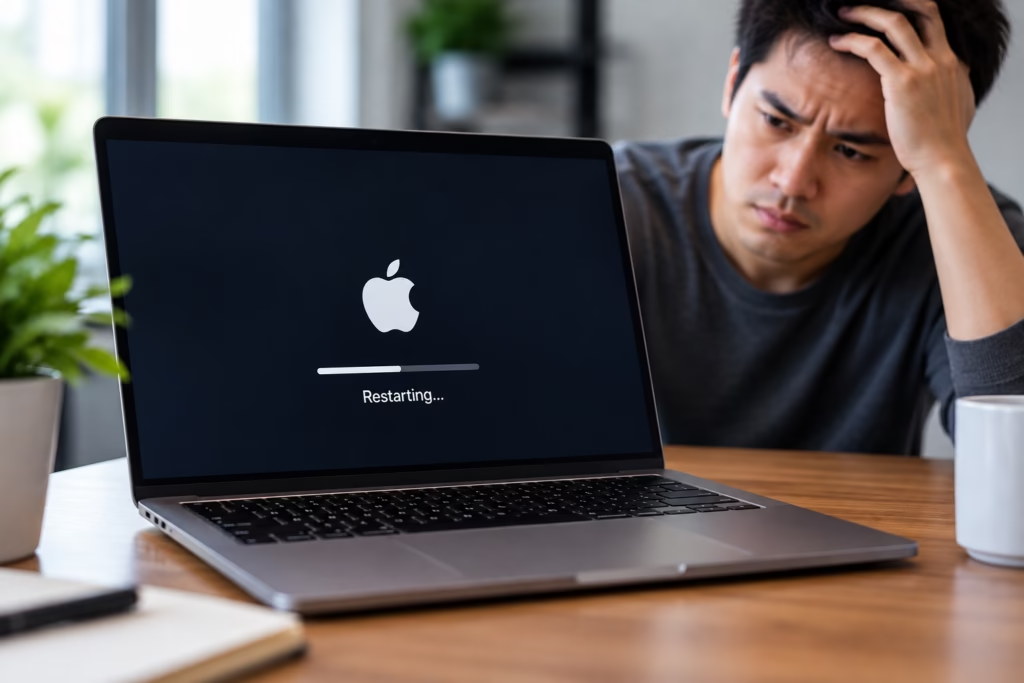
A Mac that keeps restarting without warning can interrupt work, corrupt open files, and make it difficult to trust the computer for everyday use. Sometimes the restart happens while opening a particular app. In other cases, the Mac may restart during startup, while charging, under heavier workloads, or seemingly at random.
There is no single cause behind unexpected Mac restarts. Software conflicts, macOS problems, overheating, storage issues, failing memory, power problems, connected devices, and other hardware faults can produce similar symptoms.
Steve’s Computers provides professional Mac repair in San Antonio for Macs that restart, freeze, crash, or fail to stay running normally. The goal is to identify what is actually causing the instability before recommending repair or replacing hardware unnecessarily.
Why Does a Mac Keep Restarting?
An unexpected restart generally means something interrupted normal system operation badly enough that the Mac could not continue running as expected.
The important part is identifying the pattern.
A Mac that restarts only when launching one application may have a different problem from one that reboots during startup. Restarts that happen while the computer is under heavier load can point toward different causes than random restarts while the Mac is sitting idle.
When you bring the computer in, details about when the restart happens can help narrow down the problem considerably.
Software Problems Can Cause Repeated Mac Restarts
Not every restart is caused by failing hardware.
A problem with macOS, damaged system files, incompatible software, login items, or background processes can sometimes make a Mac unstable. If the restarts began shortly after installing an application, changing system software, or completing an operating-system update, that timing may be relevant.
Some crashes may also be associated with a kernel panic, where macOS encounters a serious problem and forces the computer to restart.
One kernel panic does not automatically mean the Mac has a major hardware failure. Repeated panics, however, should be investigated because the underlying cause may involve software, connected hardware, storage, memory, or another internal component.
Can Overheating Make a Mac Restart?
Excessive heat can contribute to instability.
Mac computers rely on cooling systems designed to keep internal temperatures under control. Depending on the model, that may include fans, heat sinks, ventilation, and temperature management built into the system.
If airflow becomes restricted or cooling performance declines, the Mac may slow down, freeze, shut down, or restart during demanding tasks.
You may notice loud fans, excessive heat, performance dropping after extended use, or restarts that happen when editing video, running multiple applications, gaming, or performing other intensive work.
A Mac that consistently restarts only when it gets hot should be inspected rather than simply restarted again.
Storage Problems Can Affect Mac Stability
Your Mac depends on its storage system for macOS, applications, temporary files, and your personal data.
Storage problems can sometimes cause freezing, startup trouble, slow performance, or repeated crashes. If the Mac is having difficulty reading required system information, it may become unstable or fail to finish starting properly.
Other warning signs may include applications taking longer to open, files becoming inaccessible, startup taking much longer than usual, or the Mac repeatedly returning to the login or startup screen.
If important documents or files are involved, mention that before troubleshooting begins. Steve’s Computers also provides data recovery services when storage problems make important files inaccessible.
Memory and Hardware Problems Can Cause Random Restarts
Memory problems can produce symptoms that seem unpredictable.
A Mac may work normally during light use but crash when several applications are open or when more memory is being used. Other hardware problems can cause similar behavior, making it difficult to diagnose the issue based on the restart alone.
Some Mac models have memory integrated into the logic board, while others use different hardware configurations depending on their generation.
That is why diagnosis should be based on the exact Mac model and its symptoms instead of assuming that a random restart means one specific part has failed.
Power and Battery Problems May Cause Sudden Restarts
Power instability can also cause unexpected shutdowns or restarts.
On a MacBook, the battery, charger, charging connection, or internal power circuitry may be involved. A MacBook that restarts when the charger is disconnected, loses power at certain battery levels, or behaves differently while plugged in may need its power system evaluated.
Desktop Macs can also experience power-related problems.
The important distinction is whether the Mac is actually restarting through macOS or suddenly losing power and then starting again. Those two behaviors can point technicians toward different areas of the system.
External Devices Can Sometimes Trigger Problems
If unexpected restarts began after connecting a new accessory, external drive, dock, display, or other device, that information is worth noting.
A faulty peripheral, cable, driver, or connection can sometimes contribute to instability.
One useful diagnostic step is determining whether the problem continues with unnecessary external devices disconnected. However, if the Mac contains important data or has become severely unstable, repeated experimentation may not be the best approach.
Steve’s Computers can evaluate both the Mac and the circumstances around the restart to determine whether an external device is contributing to the problem.
Why Does My Mac Restart During Startup?
A Mac that keeps restarting before reaching the desktop may have a different problem from one that crashes during normal use.
Startup loops can involve macOS, storage, startup settings, connected hardware, or internal components. You may see the Apple logo repeatedly, a progress bar that never finishes, or the computer returning to the startup sequence over and over.
At that point, repeatedly forcing the Mac off and back on usually does not tell you much about the underlying cause.
A proper diagnosis can determine whether the problem is primarily software-related or whether hardware needs closer attention.
Should You Keep Using a Mac That Keeps Restarting?
If the Mac restarts once and then runs normally, there may not be an immediate reason for concern.
Repeated restarts are different.
Frequent crashes can interrupt file writes, interfere with work, and make an existing storage or hardware problem more difficult to manage. If the computer holds important files, creating or confirming a backup while the system is still usable can be valuable.
If the Mac is restarting more frequently, becoming difficult to start, or showing additional symptoms such as overheating, charging problems, or inaccessible files, it should be checked before the failure becomes more severe.
How Steve’s Computers Diagnoses Unexpected Mac Restarts
Steve’s Computers looks at the entire pattern instead of assuming one component is responsible.
That may include reviewing when the restart occurs, checking storage behavior, evaluating power and battery symptoms, examining temperatures, considering connected devices, and determining whether software or hardware is more likely to be involved.
This diagnostic-first approach helps avoid replacing parts that are still working properly.
The goal is to identify the source of the instability, explain what was found, and recommend the repair that makes sense for the specific Mac.
Get Mac Repair in San Antonio
If your Mac keeps restarting, freezing, shutting down, or getting stuck during startup, Steve’s Computers can help determine what is causing the problem.
Bring the computer in for professional Mac repair in San Antonio so the software, storage, power system, cooling, and related hardware can be properly evaluated.
Steve’s Computers has served San Antonio since 2008. Walk-ins are welcome, or call (210) 241-2054 to discuss your Mac repair needs.