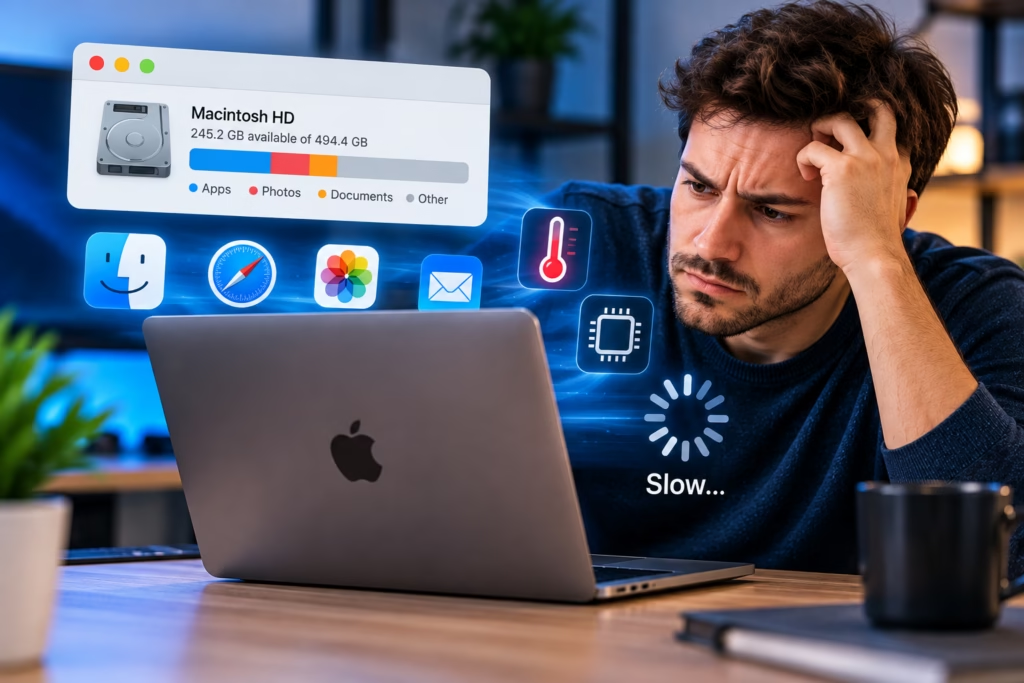
A Mac can feel slow even when plenty of storage space is available. Free disk space matters because macOS needs room for files, updates, caches, and virtual memory, but storage capacity is only one part of overall performance. High CPU usage, memory pressure, background applications, overheating, software conflicts, or failing hardware can all make a Mac sluggish.
Steve’s Computers provides Mac repair in San Antonio for slow performance, freezing, overheating, startup problems, and other issues. The most useful approach is to identify what resource is actually limiting the Mac instead of assuming that free storage means the computer should automatically be fast.
Free Storage Does Not Guarantee Fast Performance
Storage space and storage speed are different things. A Mac may have hundreds of gigabytes free and still perform poorly if applications are consuming too much memory, a background process is using the processor heavily, the system is running hot, or the storage device itself is having problems.
Performance can also change after software updates, installing new applications, adding login items, or changing how the Mac is used. The amount of unused space shown in System Settings does not reveal all of those conditions.
High CPU Usage Can Make a Mac Feel Slow
The processor handles calculations and instructions for macOS and running applications. When one process uses a large share of CPU resources for an extended period, other tasks may respond slowly.
Video encoding, photo processing, browser tabs, cloud syncing, indexing, software updates, and certain background services can temporarily raise CPU usage. That can be normal during demanding work. A problem is more likely when high usage continues during light activity, the Mac becomes unusually hot, or the same process repeatedly consumes resources without an obvious reason.
Activity Monitor can help show which applications or processes are using CPU time, but a high percentage by itself does not identify the cause. The context matters.
Memory Pressure May Be the Real Bottleneck
RAM allows the Mac to keep active applications and data readily available. When available memory becomes limited, macOS can compress memory and use storage as swap space. This helps the system continue working, but performance can slow when the workload consistently exceeds the available memory.
A Mac with many browser tabs, communication apps, large creative projects, virtual machines, or several professional applications open at once may experience memory pressure even when storage space is plentiful.
Some Mac models use memory that is integrated into the logic board and cannot be upgraded later. That makes it important to distinguish normal workload limits from a repairable performance problem.
Background Apps and Login Items Can Add Up
Applications that open automatically when you sign in can consume processor time, memory, network bandwidth, and storage activity before you start doing anything. Cloud backup tools, messaging apps, menu-bar utilities, security software, and device helpers may all run in the background.
One background application may not create a noticeable slowdown, but several can add up. If the Mac becomes slow shortly after login and improves after some applications are closed, startup and background activity should be considered during troubleshooting.
Removing software at random is not ideal. The goal is to identify which processes are unnecessary or malfunctioning without disabling something the system or user actually needs.
Heat Can Reduce Mac Performance
A Mac that runs hot may reduce performance to keep internal temperatures within operating limits. Heavy workloads can naturally make a Mac warmer, but clogged airflow, dust, cooling problems, or sustained background activity can make heat more persistent.
If the fans are frequently loud, the case becomes unusually hot, or performance drops after the Mac has been running for a while, thermal behavior may be part of the problem.
Steve’s Computers can evaluate overheating and fan-related symptoms as part of a broader Mac diagnostic. Heat should be treated as a symptom to investigate, not automatically blamed on one component.
Browser Tabs and Extensions Can Use More Resources Than Expected
Modern browsers can consume significant memory and CPU resources, particularly with many tabs, video pages, web applications, or extensions running at the same time.
If the Mac feels fast immediately after startup but slows dramatically after a long browsing session, the browser may be a major contributor. Testing performance with fewer tabs or temporarily disabling nonessential extensions can help reveal whether the slowdown is tied to the browsing environment.
That does not mean the browser is always the problem. Similar symptoms can also come from memory limits, storage faults, or system-wide software issues.
Software and macOS Problems Can Affect Speed
Damaged system files, incompatible applications, problematic extensions, or an incomplete update can make a Mac feel sluggish. Performance issues that begin suddenly after a software change deserve closer attention.
Keeping macOS and trusted applications current can resolve known bugs and compatibility problems, but updates are not a universal fix. A Mac that has an underlying storage, cooling, or hardware issue may continue to perform poorly after software updates.
Could the Storage Device Still Be a Problem?
Yes. Having free space does not prove that the storage hardware is healthy. A failing SSD, file-system problem, or storage communication issue can cause slow file access, application hangs, startup delays, or unexpected crashes.
If the Mac is freezing while opening files, taking unusually long to boot, or showing signs of file corruption, the storage system should be considered. If important files are involved, data recovery may need to be prioritized before aggressive troubleshooting.
When Older Hardware Is the Limitation
Some Macs are simply being asked to run workloads that have grown beyond what their hardware can comfortably handle. Newer applications, larger media files, heavier websites, and multitasking can expose limits that were less noticeable when the Mac was new.
That does not mean every older Mac should be replaced. The right question is whether the slowdown is caused by a fault that can be corrected or by hardware limits that will remain even after repair.
Get Mac Performance Diagnostics in San Antonio
If your Mac is slow despite having plenty of free storage, Steve’s Computers can help identify whether the problem is related to CPU usage, memory pressure, software, heat, storage, or another hardware issue.
Steve’s Computers provides Mac repair and computer diagnostics in San Antonio for Macs that are slow, freezing, overheating, restarting, or taking too long to start.
Instead of deleting files you still need or replacing the computer based on storage space alone, contact Steve’s Computers for a diagnostic evaluation and a clearer explanation of what is actually limiting performance.