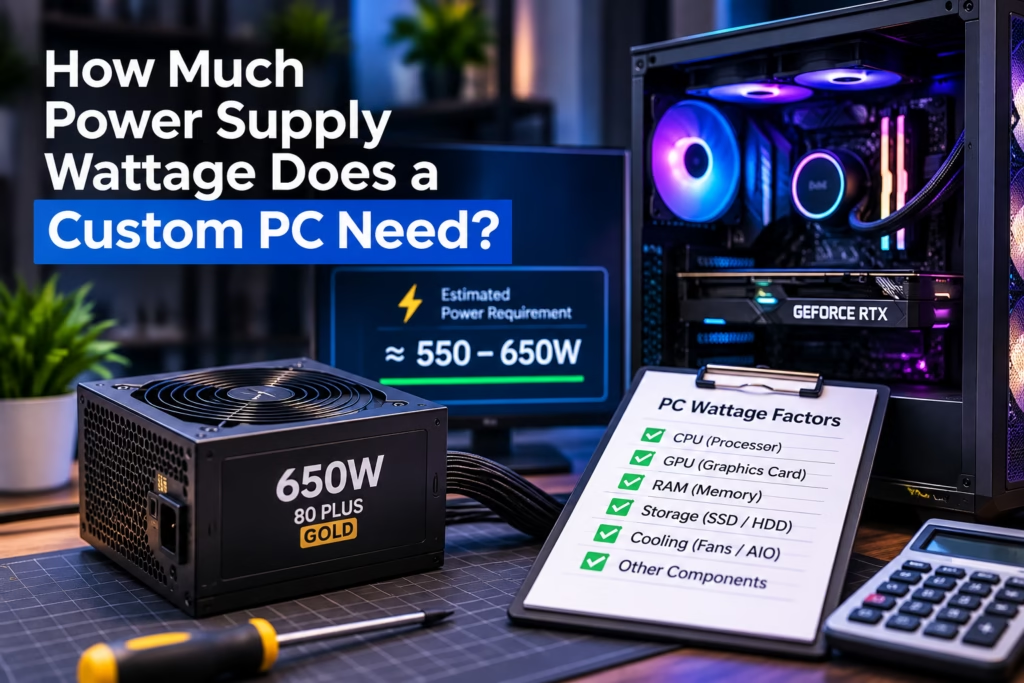
Choosing a power supply for a custom PC is not as simple as adding the wattage numbers printed on a CPU and graphics card box. The system needs enough capacity for peak loads, the right connectors, stable power delivery, reasonable headroom, and room for future upgrades. Buying far more wattage than necessary does not automatically make a computer faster, while buying too little can create instability.
The best power supply is one sized for the actual build. That means looking at the CPU, GPU, drives, cooling hardware, motherboard, accessories, and the way the PC will be used.
Start With the Components That Draw the Most Power
The graphics card and processor are usually the largest power consumers in a performance desktop. A gaming PC with a high-end GPU can need considerably more power than an office system using integrated graphics. A workstation with a many-core processor, multiple drives, and expansion cards may have a different profile again.
Manufacturer recommendations are a useful starting point, but they are written to cover a range of complete systems. The exact build still matters because the same GPU can be paired with very different CPUs, cooling solutions, and accessories.
Headroom Is About Stability and Upgrades, Not Bragging Rights
A power supply should not be selected so close to the expected load that normal spikes push it to the limit. Leaving sensible headroom helps account for transient loads, component aging, efficiency, and future additions.
That does not mean every computer needs a 1000-watt or 1200-watt unit. An oversized PSU may add cost without providing a practical benefit. The goal is enough margin for the build, not the largest number available.
Efficiency Ratings Do Not Tell You the Whole Story
80 PLUS efficiency ratings describe how efficiently a power supply converts AC power to DC power at specified loads. They do not, by themselves, guarantee build quality, electrical performance, noise level, connector quality, or long-term reliability.
A reputable model with appropriate protections and enough capacity is more important than chasing a particular badge alone. PSU quality matters because every major component in the computer depends on stable power.
Connector Compatibility Matters as Much as Wattage
Modern graphics cards can use different power connectors, and some high-end cards have specific cabling recommendations. Motherboards may require additional CPU power connectors, while storage drives, fan hubs, RGB controllers, and expansion cards can add their own requirements.
Before buying a power supply, verify that the unit has the connectors your hardware actually needs. Adapter chains and improvised cable combinations are not a substitute for proper compatibility.
Gaming, Streaming, and Workstation Builds Need Different Planning
A gaming system should be sized around the GPU, CPU, resolution target, and likely upgrade path. A streaming or content-creation machine may keep both the CPU and GPU busy for longer periods, so sustained load matters. A workstation with many storage devices or add-in cards may need more connectors and capacity even if the graphics card is modest.
Steve’s Computers provides custom PC builds in San Antonio for systems designed around gaming, work, editing, streaming, and other performance needs. Power planning is handled as part of the full component selection rather than as an isolated wattage guess.
A Bigger GPU Upgrade Can Change the Entire Power Plan
If you expect to upgrade the graphics card later, choose the power supply with that future change in mind. A new GPU can increase wattage requirements, connector requirements, and case-cooling needs at the same time.
Planning ahead can prevent a situation where the graphics card fits physically but the power supply has to be replaced immediately. At the same time, future-proofing should be realistic; paying for extreme capacity you are unlikely to use is not efficient budgeting.
Random Restarts Can Be a Power Problem, but Not Always
A weak power supply can contribute to crashes, black screens, shutdowns, or restarts under load, but those symptoms can also come from overheating, memory, drivers, motherboard faults, or the GPU itself.
If an existing PC is unstable, use computer diagnostics before replacing the PSU based on symptoms alone. Steve’s Computers can evaluate the system and determine whether power delivery is actually involved.
Build the Power Supply Around the Entire PC
The practical PSU decision combines expected load, component quality, connectors, headroom, case fit, cable management, and the upgrade plan. A well-chosen unit supports the whole build without wasting budget that could be better spent on performance, storage, cooling, or memory.
That is why wattage calculators are useful for estimates but should not be treated as the final design decision.
Transient Power Spikes Matter on Modern Graphics Cards
Modern GPUs can change power demand very quickly. A graphics card that averages one level of consumption during gaming can still produce short spikes above that average. A power supply that is technically large enough on paper may become unstable if it cannot handle those rapid changes well.
This is one reason quality and platform design matter alongside the wattage printed on the label. A well-built unit with appropriate protections and enough reserve capacity is more valuable than a cheap model with a larger advertised number.
Do Not Reuse Modular PSU Cables Across Different Units
Modular power-supply cables are not universally wired the same way on the PSU side, even when the plugs appear to fit. Reusing cables from a different model or brand can damage drives, graphics cards, or other components.
When replacing a modular power supply, use the cables supplied with that specific unit unless the manufacturer explicitly confirms compatibility. Cable management convenience is never worth risking the rest of the build.
Case Size and Cooling Can Limit the PSU Choice
Power supplies come in different physical formats, and high-wattage units can also be longer than lower-capacity models. A compact case may restrict PSU length, cable routing, radiator placement, or airflow.
Good custom-PC planning therefore checks electrical capacity and physical fit together. The best PSU on paper is not useful if it blocks a front radiator, bends cables sharply, or cannot be installed cleanly in the chosen case.
The PSU Should Match the Upgrade Path, Not Just Today’s Parts
A balanced build considers what the computer may become over the next few years. If the case and motherboard are chosen with a future graphics-card upgrade in mind, the power supply should support that realistic path too. Replacing a perfectly good PSU only because a later GPU needs more capacity adds avoidable cost.
On the other hand, planning for an extreme upgrade that is unlikely to happen can waste budget today. The useful goal is enough headroom for the next sensible step, not unlimited capacity.
Plan Your Custom PC With Steve’s Computers
If you are building a new gaming PC, workstation, or general-purpose desktop and are unsure how much power supply capacity you need, contact Steve’s Computers. Steve’s Computers can help match the PSU to the CPU, GPU, cooling, storage, connectors, and upgrade plans so the complete custom build is balanced from the start.